
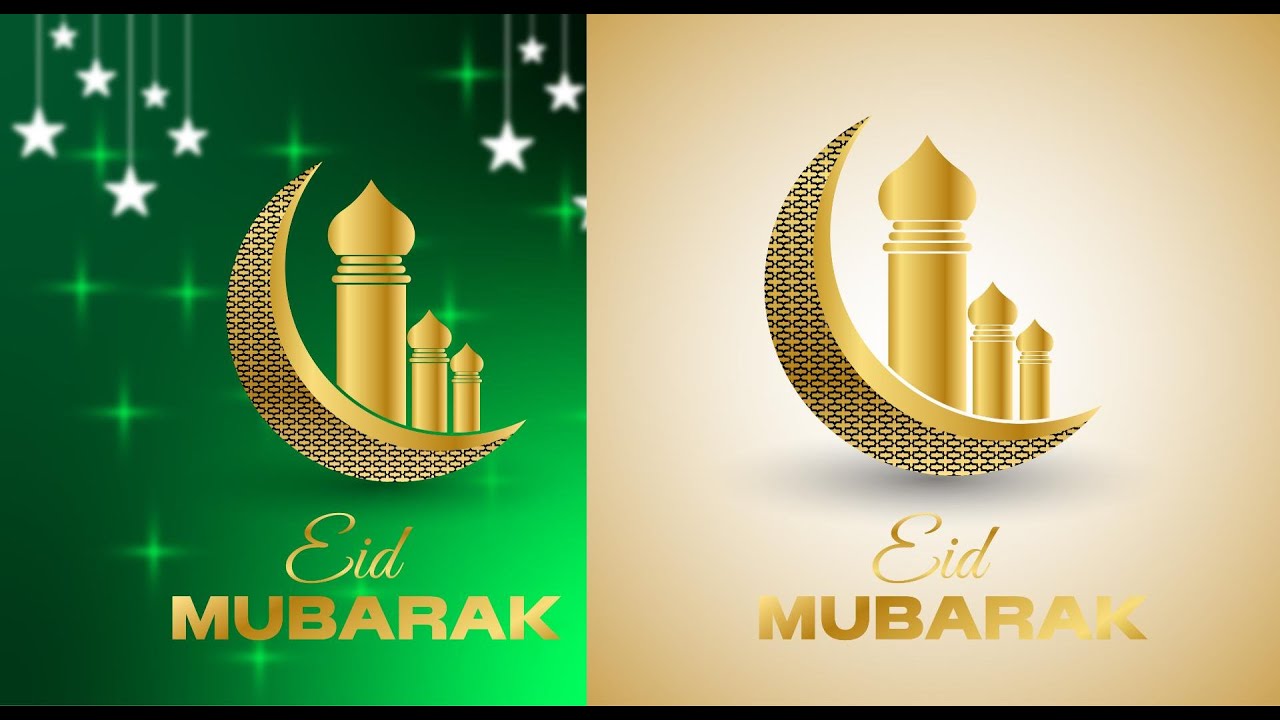
বর্তমান ডিজিটাল যুগে Eid Background Design / Eid Mubarak Background Design একটি অত্যন্ত জনপ্রিয় এবং চাহিদাসম্পন্ন গ্রাফিক্স ক্যাটাগরি। আপনি যদি Adobe Illustrator ব্যবহার করে প্রফেশনাল ভেক্টর ডিজাইন তৈরি করেন, তাহলে সেগুলো Adobe Stock ও Freepik-এর মতো স্টক মার্কেটপ্লেসে আপলোড করে Passive Income করতে পারেন। HOW TO INCOME WITH AI GRAPHICS / EARNING IN THE PASSIVE MARKETPLACE WITH AI GRAPHICS Full Course in WEBSITE Full Course in YouTube Ai Graphics Course 1 | WEBSITE LINK | YOUTUBE LINK Ai Graphics Course 2 | WEBSITE LINK | YOUTUBE LINK এই আর্টিকেলে আমরা ধাপে ধাপে দেখবো কীভাবে SEO-friendly ও মার্কেটপ্লেস-Ready Eid Background Design তৈরি করবেন। ✅ Eid Background Design কেন স্টক মার্কেটে জনপ্রিয়? Eid হলো মুসলিম বিশ্বের সবচেয়ে বড় উৎসবগুলোর একটি। এই সময়: Social Media Post Banner & Poster Greeting Card Website Header Mobile Wallpaper এর জন্য প্রচুর ডিজাইনের চাহিদা থাকে। 👉 তাই Eid Design তৈরি করলে প্রতি বছর একই ডিজাইন থেকে বারবার ইনকাম করা সম্ভব। 🛠️ Adobe Illustrator দিয়ে Eid Background Design তৈরির সুবিধা Adobe Illustrator ব্যবহার করার মূল সুবিধা হলো: ✔ Vector Quality (Lossless Design)✔ Unlimited Resize সুবিধা✔ Stock Platform Compatible✔ Professional Output✔ Print & Digital উভয়ের জন্য উপযোগী এই কারণেই স্টক সাইটগুলোতে AI ফাইলের চাহিদা বেশি। ✍️ Eid Background Design তৈরির ধাপসমূহ 1️⃣ New Document Setup Size: 4000×4000 px (Minimum) Color Mode: RGB Resolution: 300 DPI 2️⃣ Background তৈরি Gradient Background Islamic Pattern Soft Texture Light Effect ব্যবহার করুন যেন ডিজাইনটি প্রিমিয়াম লাগে। 3️⃣ Islamic Elements যুক্ত করা Eid Design-এ সাধারণত যেসব এলিমেন্ট থাকে: ☪ Mosque Illustration🌙 Crescent Moon⭐ Star Pattern🕌 Minar✨ Lantern এগুলো ব্যবহার করলে ডিজাইন বেশি আকর্ষণীয় হয়। 4️⃣ Typography & Text Design টেক্সট হিসেবে ব্যবহার করুন: “Eid Mubarak” “Happy Eid” “Blessed Eid” Font হতে হবে: ✔ Clean✔ Readable✔ Commercial Use Allowed 5️⃣ Color Combination Best Color Combination: Blue + Gold Green + White Purple + Silver Black + Golden এই কালারগুলো Eid Theme-এর সাথে ভালো যায়। 📤 Adobe Stock ও Freepik-এ Upload করার নিয়ম ✔ File Format AI (Editable) EPS JPG Preview ✔ File Size Minimum 4MP High Resolution ✔ Naming System Example: eid-mubarak-islamic-background-vector-design 📝 SEO-Friendly Title & Description কিভাবে লিখবেন? 📌 Title Example Eid Mubarak Islamic Background Vector Design in Adobe Illustrator 📌 Description Example High-quality Eid Mubarak background with Islamic pattern and mosque illustration. Suitable for banners, posters, greeting cards, and social media. সবসময়: ✔ Relevant Keywords ব্যবহার করুন✔ Spam করবেন না✔ Natural Language লিখুন 💰 Passive Income করার Strategy আপনি যদি নিয়মিত ডিজাইন আপলোড করেন: প্রতি মাসে 20–30 Design প্রতি বছরে 200+ Design 👉 তাহলে 1–2 বছরের মধ্যে ভালো Passive Income তৈরি করা সম্ভব। Pro Tips: ✅ Festival Season-এর আগে Upload করুন✅ Same Design-এর Multiple Variation বানান✅ Trending Style Follow করুন✅ Old Design Update করুন 🚀 Beginner দের জন্য Extra Tips যারা নতুন শুরু করছেন: ✔ Simple Design দিয়ে শুরু করুন✔ Market Research করুন✔ Top Seller Analyze করুন✔ Regular Practice করুন✔ Feedback নিন শুরুর দিকে কম বিক্রি হলেও ধৈর্য ধরলে সফল হওয়া সম্ভব। 📌 Eid Background Design থেকে ভবিষ্যৎ ক্যারিয়ার এই স্কিল দিয়ে আপনি হতে পারেন: Stock Contributor Freelance Designer Digital Product Seller Creative Entrepreneur এটি আপনার ডিজিটাল ক্যারিয়ারের জন্য একটি শক্তিশালী মাধ্যম। Adobe Illustrator দিয়ে Eid Background Design: Adobe Stock ও Freepik-এর জন্য Passive Income গাইড বর্তমান ডিজিটাল যুগে Eid Background Design একটি অত্যন্ত চাহিদাসম্পন্ন গ্রাফিক ডিজাইন ক্যাটাগরি। প্রতি বছর ঈদকে ঘিরে Social Media Post, Banner, Poster, Greeting Card, Website Header এবং Digital Ads-এর জন্য লক্ষ লক্ষ ডিজাইনের প্রয়োজন হয়। আপনি যদি Adobe Illustrator ব্যবহার করে প্রফেশনাল ভেক্টর ডিজাইন তৈরি করতে পারেন, তাহলে সেগুলো Adobe Stock এবং Freepik-এর মতো Passive Marketplace-এ আপলোড করে দীর্ঘমেয়াদে আয় করতে পারেন। Eid Mubarak Background Design |Eid Background Design Adobe Illustrator দিয়ে তৈরি করা ভেক্টর ডিজাইনের সবচেয়ে বড় সুবিধা হলো—এগুলো স্কেল করা যায়, কোয়ালিটি নষ্ট হয় না এবং প্রিন্ট ও ডিজিটাল দুই ক্ষেত্রেই ব্যবহারযোগ্য। তাই স্টক মার্কেটপ্লেসগুলোতে Eid Background Design-এর জন্য Illustrator ফাইলের চাহিদা সবচেয়ে বেশি। একটি সফল Eid Background Design তৈরি করতে হলে প্রথমেই ডকুমেন্ট সেটআপ সঠিক হতে হবে। সাধারণত 4000×4000 পিক্সেল বা তার বেশি সাইজ, RGB Color Mode এবং High Resolution ব্যবহার করলে স্টক সাইটে সহজেই অনুমোদন পাওয়া যায়। ব্যাকগ্রাউন্ড হিসেবে আপনি Gradient Color, Soft Texture অথবা Islamic Pattern ব্যবহার করতে পারেন, যাতে ডিজাইনটি প্রিমিয়াম এবং ক্লিন দেখায়। Eid Theme ডিজাইনের ক্ষেত্রে Islamic Elements খুবই গুরুত্বপূর্ণ। যেমন—Mosque Illustration, Crescent Moon, Star Pattern, Lantern, Minar ইত্যাদি। এসব এলিমেন্ট সঠিকভাবে ব্যবহার করলে ডিজাইনটি ঈদের অনুভূতি স্পষ্টভাবে প্রকাশ করে। তবে অতিরিক্ত এলিমেন্ট ব্যবহার না করে Minimal ও Balanced Design রাখা সবচেয়ে ভালো। Typography বা টেক্সট ডিজাইন Eid Background-এর আরেকটি গুরুত্বপূর্ণ অংশ। “Eid Mubarak”, “Happy Eid” বা “Blessed Eid” এর মতো শব্দ সাধারণত বেশি ব্যবহৃত হয়। এখানে অবশ্যই এমন ফন্ট ব্যবহার করতে হবে যেগুলো Commercial Use-এর জন্য ফ্রি বা লাইসেন্সড। পরিষ্কার, সহজে পড়া যায় এমন ফন্ট ব্যবহার করলে স্টক ক্রেতাদের কাছে ডিজাইনটি বেশি গ্রহণযোগ্য হয়। Color Combination-এর দিক থেকেও আপনাকে সচেতন হতে হবে। Blue ও Gold, Green ও White, Purple ও Silver বা Black ও Golden—এই কালার কম্বিনেশনগুলো Eid Design-এর জন্য খুবই জনপ্রিয়। রঙের সঠিক ব্যবহার আপনার ডিজাইনকে আরও আকর্ষণীয় ও প্রফেশনাল করে তোলে। ডিজাইন তৈরি হয়ে গেলে স্টক মার্কেটপ্লেসে আপলোড করার সময় SEO একটি বড় ভূমিকা রাখে। ফাইল নাম, Title এবং Description-এ অবশ্যই Relevant Keywords ব্যবহার করতে হবে। উদাহরণস্বরূপ, “Eid Mubarak Islamic Background Vector Design” এর মতো একটি পরিষ্কার ও কীওয়ার্ড-সমৃদ্ধ টাইটেল ব্যবহার করলে সার্চ রেজাল্টে আপনার ডিজাইন সহজেই উপরে আসবে। Description লেখার সময় ডিজাইনটি কোথায় ব্যবহার করা যাবে—যেমন Banner, Poster, Social Media, Greeting Card—এসব পরিষ্কারভাবে উল্লেখ করা উচিত। Passive Income করার জন্য সবচেয়ে কার্যকর কৌশল হলো নিয়মিত ডিজাইন আপলোড করা। আপনি যদি প্রতি মাসে ২০–৩০টি Eid বা Festival-Based Design আপলোড করেন, তাহলে এক থেকে দুই বছরের মধ্যে একটি শক্তিশালী পোর্টফোলিও তৈরি হবে। একই ডিজাইনের একাধিক কালার ও লেআউট ভ্যারিয়েশন তৈরি করলেও বিক্রির সম্ভাবনা অনেক বেড়ে যায়। সবশেষে বলা যায়, Adobe Illustrator দিয়ে Eid Background Design তৈরি করে Adobe Stock ও Freepik-এর মতো মার্কেটপ্লেসে বিক্রি করা একটি চমৎকার Passive Income Model। নিয়মিত প্র্যাকটিস, মার্কেট রিসার্চ এবং SEO-Friendly কনটেন্ট ব্যবহার করলে এই স্কিল ভবিষ্যতে আপনার ডিজিটাল ক্যারিয়ারের জন্য একটি বড় সম্পদ হয়ে উঠতে পারে। 🏁 উপসংহার (Conclusion) Adobe Illustrator দিয়ে Eid Background Design তৈরি করে Adobe Stock ও Freepik-এর মতো প্ল্যাটফর্মে বিক্রি করা একটি চমৎকার Passive Income Model। যদি আপনি
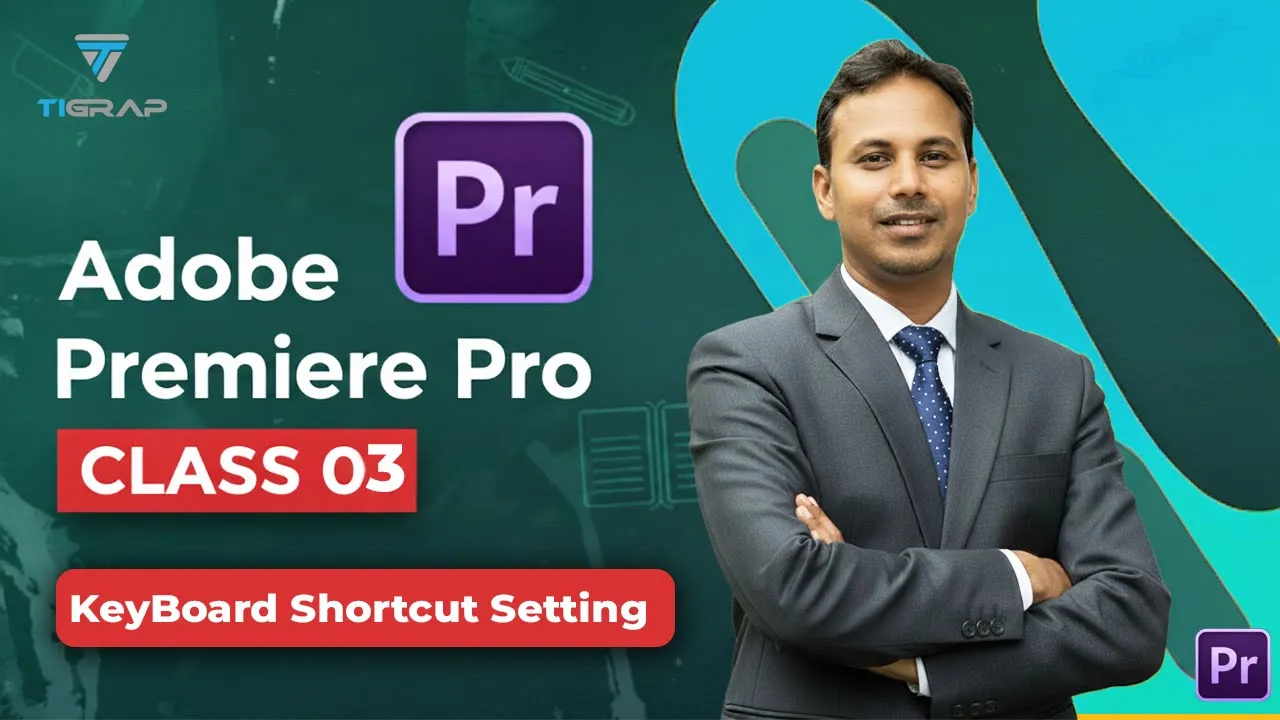
Adobe Premiere Pro Keyboard Shortcut in Bangla – Complete Guide for Fast Video Editing (2026)
Premiere Pro keyboard shortcut বর্তমান ডিজিটাল যুগে ভিডিও এডিটিং একটি অত্যন্ত গুরুত্বপূর্ণ স্কিল। YouTube, Facebook, Instagram, Freelancing কিংবা Content Creation—সব জায়গায়ই ভিডিও এডিটিংয়ের চাহিদা দিন দিন বাড়ছে। এই ক্ষেত্রে সবচেয়ে জনপ্রিয় সফটওয়্যারগুলোর একটি হলো Adobe Premiere Pro। তবে অনেকেই Premiere Pro ব্যবহার করলেও Keyboard Shortcut না জানার কারণে ধীরে কাজ করেন। To get the Full Course Click Here Premiere Pro shortcut Premiere Pro keyboard shortcut অ্যাডোবি প্রিমিয়ার প্রো টিউটোরিয়ালে কীবোর্ড শর্টকাট সেটিং | ক্লাস ০৩ | প্রফেশনাল ভিডিও এডিটিং ( YouTube Class ) এই পোস্টে আপনি শিখবেন— ✅ Premiere Pro Shortcut কী✅ কেন এটি ব্যবহার করবেন✅ গুরুত্বপূর্ণ Shortcut List✅ Custom Shortcut সেট করার নিয়ম✅ Pro Tips✅ Freelancing-এ সুবিধা ✅ Keyboard Shortcut কী? Keyboard Shortcut হলো কিবোর্ডের কিছু নির্দিষ্ট Key-এর সমন্বয়, যেগুলো ব্যবহার করে মাউস ছাড়াই দ্রুত কাজ করা যায়। উদাহরণ: Ctrl + C → Copy Ctrl + V → Paste Ctrl + Z → Undo Premiere Pro-তে শত শত Shortcut রয়েছে, যা আপনার Editing Speed অনেক বাড়িয়ে দেয়। 🚀 কেন Premiere Pro Keyboard Shortcut ব্যবহার করবেন? Keyboard Shortcut ব্যবহার করলে আপনি পাবেন— ✔️ কাজের গতি ২–৩ গুণ বেড়ে যাবে✔️ সময় বাঁচবে✔️ কম পরিশ্রমে বেশি কাজ হবে✔️ Professional Editing সম্ভব হবে✔️ Freelancing Income বাড়বে একজন দক্ষ Video Editor সবসময় Shortcut ব্যবহার করে। 📌 Important Premiere Pro Keyboard Shortcuts List নিচে সবচেয়ে বেশি ব্যবহৃত Shortcut দেওয়া হলো— ▶️ Playback Control Shortcuts কাজ Shortcut Play / Pause Space Forward L Backward J Stop K Full Screen Ctrl + ` ✂️ Editing Shortcuts কাজ Shortcut Selection Tool V Razor Tool C Add Cut Ctrl + K Delete Clip Delete Ripple Delete Shift + Delete 📁 File Management Shortcuts কাজ Shortcut New Project Ctrl + Alt + N Open Project Ctrl + O Save Ctrl + S Save As Ctrl + Shift + S Import Ctrl + I 🧩 Timeline Control Shortcuts কাজ Shortcut Zoom In = Zoom Out – Next Cut ↓ Previous Cut ↑ Move Frame ← → 🎨 Panels & Effects Shortcuts কাজ Shortcut Project Panel Shift + 1 Timeline Shift + 3 Program Monitor Shift + 4 Effect Control Shift + 5 Lumetri Color Shift + 7 🛠️ Custom Keyboard Shortcut কিভাবে সেট করবেন? আপনি চাইলে নিজের মতো করে Shortcut বানাতে পারবেন। ধাপসমূহ: 1️⃣ Premiere Pro Open করুন2️⃣ Menu-তে যান: Edit → Keyboard Shortcuts3️⃣ Keyboard Layout দেখাবে4️⃣ যেকোনো Command-এ Click করুন5️⃣ নতুন Key Press করুন6️⃣ OK করুন এভাবে Custom Shortcut বানালে Editing আরও দ্রুত হবে। 💡 Pro Video Editor দের Secret Tips 🔹 1. JKL Technique ব্যবহার করুন J → Backward K → Stop L → Forward Video Preview করার জন্য এটি খুব Powerful। 🔹 2. Favorite Shortcut আগে শিখুন প্রথমে এইগুলো মুখস্থ করুন— ✔️ C, V✔️ Ctrl + K✔️ Ctrl + S✔️ Space✔️ Ctrl + Z 🔹 3. Cheat Sheet বানান নিজের ডেস্কের পাশে Shortcut List রাখুন। এতে দ্রুত শিখবেন। 🔹 4. Daily Practice করুন প্রতিদিন ২০–৩০ মিনিট Shortcut দিয়ে Editing করুন। 📈 Freelancers এর জন্য Shortcut কেন গুরুত্বপূর্ণ? যারা Fiverr, Upwork, YouTube বা Client Work করেন, তাদের জন্য Shortcut জানা খুব দরকার। কারণ— ✔️ কম সময়ে বেশি প্রজেক্ট✔️ বেশি Client Handle✔️ ভালো Rating✔️ আয় বৃদ্ধি Professional Editors সবসময় Shortcut ব্যবহার করে। 📚 Beginners Learning Roadmap নতুনদের জন্য সহজ Plan— ✅ Week 1 Basic Shortcut Cut & Trim Practice ✅ Week 2 Timeline Control Effects Use ✅ Week 3 Custom Shortcut Speed Editing ✅ Week 4 Full Project Editing ১ মাস Practice করলে ভালো Level-এ যেতে পারবেন। অ্যাডোবি প্রিমিয়ার প্রো টিউটোরিয়ালে কীবোর্ড শর্টকাট সেটিং | ক্লাস ০৩ | প্রফেশনাল ভিডিও এডিটিং এই ভিডিওতে দেখানো হয়েছে কিভাবে Adobe Premiere Pro Keyboard Shortcuts Setting করবেন এবং কীভাবে কিবোর্ড শর্টকাট ব্যবহার করে ভিডিও এডিটিং অনেক দ্রুত করা যায়। যারা Premiere Pro শিখতে চান বা Professional Video Editing এ ক্যারিয়ার গড়তে চান, তাদের জন্য এই টিউটোরিয়ালটি অত্যন্ত গুরুত্বপূর্ণ। এখানে শিখবেন শর্টকাট কাস্টমাইজেশন, দ্রুত এডিটিং টেকনিকস এবং Premiere Pro ব্যবহার করে কীভাবে প্রফেশনাল ভিডিও তৈরি করবেন। এই ক্লাসটি আমাদের পূর্ণাঙ্গ Adobe Premiere Pro Bangla Course 2025 এর অংশ, যেখানে প্রতিটি লেকচারে ধাপে ধাপে শেখানো হচ্ছে ভিডিও এডিটিং এর বেসিক থেকে অ্যাডভান্স লেভেল পর্যন্ত। যারা ভিডিও এডিটিং শিখে YouTube, Freelancing বা Professional Project-এ কাজ করতে চান, তাদের জন্য এই কোর্স বিশেষভাবে সাজানো হয়েছে | আপনি যদি ভিডিও এডিটিংয়ে নতুন হয়ে থাকেন অথবা প্রফেশনাল ভিডিও এডিটর হতে চান, তবে এই কোর্সটি আপনাকে শুরু থেকে অ্যাডভান্স লেভেল পর্যন্ত নিয়ে যাবে। 🔔For Contact:- WhatsApp: +880 1303-283064 Email: tigrap.com@gmail.com Facebook: https://www.facebook.com/tigraps Facebook Group: https://www.facebook.com/groups/583046988567445 #AdobePremierePro #PremiereProBangla #PremiereProShortcuts #VideoEditingBangla #KeyboardShortcuts #PremiereProTips #PremiereProClass03 #PremierePro2025 #BanglaVideoEditing #AdobePremierePro2025 #LearnPremierePro #VideoEditingCourse #BanglaTutorial #PremiereProTraining #KeyboardShortcutsPremierePro #BanglaVideoEditingTutorial #PremiereProEditingTips #PremiereProBanglaCourse #PremiereProKeyboardShortcuts #ProfessionalVideoEditing
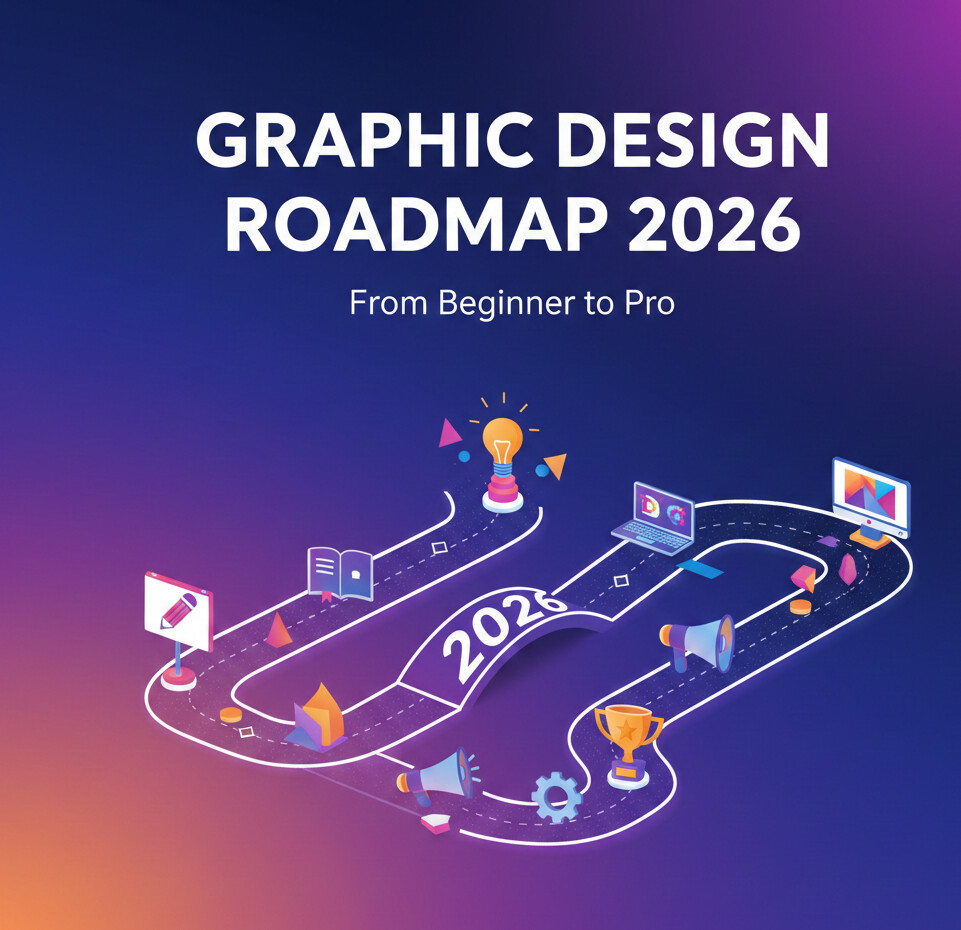
Graphic Design 2026: From Beginner to Pro
The reason why most designers are remained stuck. A few years ago, I went through the portfolio of a junior designer who looked at first sight – quite impressive. Slick mockups. Trendy colors. Fancy typography. But after five minutes something did not feel right. They knew the how, but not the why. And that is really the precise reason why the majority of designers plateau. If you are looking for a graphic design roadmap for 2026 but with the road map for you actually getting from a beginner to a pro, then this isn’t about learning everything. It’s about learning right things – in the right order. Let’s break it down. Graphic Design Roadmap 2026: Foundation of the Present Landscape. Graphic design 2026 is more than just making things look good. It is relative to finding solutions visually. Clients don’t pay for gradients and fonts. They pay for clarity to conversions to consistency. The industry is currently being formed by the following factors: Design systems versus one off designs Workflow with AI support (as opposed to AI replacement). Brand storytelling from platforms UX-driven visual decisions I’ve seen designers not take these shifts into account and question why their work is not getting gigs anymore. Graphic Design Roadmap 2026 for Beginners: Start With Foundations This is where beginners usually mess up. They jump straight into Photoshop tricks or trendy effects without understanding the basics. That’s like learning guitar solos before chords. Core Fundamentals You Must Master Focus on these before touching advanced tools: Typography: hierarchy, spacing, and pairing Color theory: contrast, emotion, accessibility Layout & composition: grids, alignment, white space Visual hierarchy: guiding the viewer’s eye Insider tip: If you can explain why a design works, you’re already ahead of 70% of beginners. Tools That Actually Matter in 2026 (And Ones You Can Skip) Let’s be honest. Tools change. Principles don’t. That said, here’s what professionals are really using in the graphic design roadmap 2026: Must-Know Tools Figma: non-negotiable for modern workflows Adobe Illustrator: logos, vectors, brand assets Adobe Photoshop: image manipulation, composites Notion or Milanote: creative organization Tools You Don’t Need (Yet) Every 3D tool under the sun 10 AI design apps at once Complex motion software without basics Common mistake I’ve seen: Designers tool-hop instead of skill-building. Graphic Design Roadmap 2026: Skill Progression That Works Here’s a progression I’ve watched work again and again. Stage 1: Visual Thinker Recreate good designs (yes, copy them) Analyze why layouts work Build taste before originality Stage 2: Problem Solver Design for fake clients with real constraints Focus on brand goals, not aesthetics Learn basic UX principles Stage 3: System Builder Create design systems Maintain consistency across assets Think in components, not pages That last stage? That’s where professionals separate themselves. Building a Portfolio That Doesn’t Scream “Beginner” Your portfolio isn’t a gallery. It’s a sales pitch. I’ve rejected portfolios with beautiful visuals because they lacked context. What a Strong 2026 Portfolio Includes Clear problem statements Process screenshots or explanations Final outcomes with reasoning Fewer projects, deeper stories Bold truth: Three solid case studies beat ten random designs. The Business Side Most Designers Ignore You can be talented and still broke. I’ve seen it happen too often. To go pro, you need more than design skills: Client communication Pricing confidence Feedback handling Basic contracts and scope control Now, here’s where it gets interesting. The best designers aren’t the best artists. They’re the best listeners. Pro-Tips: Insider Advice From 10+ Years in the Field This section alone can save you years. Insider Pro-Tips Design less, think more. Sketch before opening software. Collect bad designs. They teach more than good ones. Learn to present your work. A great explanation can sell an average design. Say no early. Bad clients don’t turn into good ones. Update your skills yearly. Not monthly. Not daily. I know what you’re thinking—”What about AI?” Use it to speed up tasks, not replace thinking. Designers who rely on AI without fundamentals will struggle. Graphic Design Roadmap 2026: Common Mistakes to Avoid If I could rewind time for most beginners, I’d warn them about this: Chasing trends instead of clarity Ignoring accessibility Underpricing to get work Not documenting their process Mistakes aren’t fatal. Repeating them is. The Verdict: Your Path From Beginner to Pro The graphic design roadmap 2026 isn’t about becoming flashy. It’s about becoming dependable. Master the fundamentals. Learn the tools that matter. Build systems. Communicate clearly. Do that consistently, and you won’t just get work—you’ll keep it. So tell me—where are you right now on this roadmap, and what’s the one skill you know you need to work on next?

Adobe Illustrator ডাইরেক্ট সিলেকশন টুলের ব্যাবহার
Adobe Illustrator Bangla Tutorial । ডাইরেক্ট সিলেকশন টুল | Direct Selection Tool | Class 03 | tigrap Thanks for watching! ✔ কোন সমস্যা হলে নিচে কমেন্ট করে জানাবেন ✔ কাজ করে এই গ্রুপে পোস্ট করবেনঃ / designideaa ✔ আশা করি যারা ভিডিও দেখে উপকৃত হবেন তারা ভিডিওতে কমেন্ট করবেন। ✔ ভিডিওগুলো প্রোমোশনের জন্য না আপনাদের শিখার জন্য করা। 🎨 এই ক্লাসে আমরা শিখবো Adobe Illustrator Direct Selection Tool এর সম্পূর্ণ ব্যবহার। Direct Selection Tool ব্যবহার করে কীভাবে Anchor Point, Path, Shape Edit, Curve Adjustment এবং Vector Design করা যায় তা বিস্তারিতভাবে দেখানো হয়েছে। যারা Illustrator শিখছেন বা Graphic Design ক্যারিয়ার শুরু করতে চান, তাদের জন্য এই টিউটোরিয়ালটি অত্যন্ত গুরুত্বপূর্ণ।
Graphic Design 2026: From Beginner to Pro
The reason why most designers are remained stuck. A few years ago, I went through the portfolio of a junior designer who looked at first sight – quite impressive. Slick mockups. Trendy colors. Fancy typography. But after five minutes something did not feel right. They knew the how, but not the why. And that is really the precise reason why the majority of designers plateau. If you are looking for a graphic design roadmap for 2026 but with the road map for you actually getting from a beginner to a pro, then this isn’t about learning everything. It’s about learning right things – in the right order. Let’s break it down. Graphic Design Roadmap 2026: Foundation of the Present Landscape. Graphic design 2026 is more than just making things look good. It is relative to finding solutions visually. Clients don’t pay for gradients and fonts. They pay for clarity to conversions to consistency. The industry is currently being formed by the following factors: Design systems versus one off designs Workflow with AI support (as opposed to AI replacement). Brand storytelling from platforms UX-driven visual decisions I’ve seen designers not take these shifts into account and question why their work is not getting gigs anymore. Graphic Design Roadmap 2026 for Beginners: Start With Foundations This is where beginners usually mess up. They jump straight into Photoshop tricks or trendy effects without understanding the basics. That’s like learning guitar solos before chords. Core Fundamentals You Must Master Focus on these before touching advanced tools: Typography: hierarchy, spacing, and pairing Color theory: contrast, emotion, accessibility Layout & composition: grids, alignment, white space Visual hierarchy: guiding the viewer’s eye Insider tip: If you can explain why a design works, you’re already ahead of 70% of beginners. Tools That Actually Matter in 2026 (And Ones You Can Skip) Let’s be honest. Tools change. Principles don’t. That said, here’s what professionals are really using in the graphic design roadmap 2026: Must-Know Tools Figma: non-negotiable for modern workflows Adobe Illustrator: logos, vectors, brand assets Adobe Photoshop: image manipulation, composites Notion or Milanote: creative organization Tools You Don’t Need (Yet) Every 3D tool under the sun 10 AI design apps at once Complex motion software without basics Common mistake I’ve seen: Designers tool-hop instead of skill-building. Graphic Design Roadmap 2026: Skill Progression That Works Here’s a progression I’ve watched work again and again. Stage 1: Visual Thinker Recreate good designs (yes, copy them) Analyze why layouts work Build taste before originality Stage 2: Problem Solver Design for fake clients with real constraints Focus on brand goals, not aesthetics Learn basic UX principles Stage 3: System Builder Create design systems Maintain consistency across assets Think in components, not pages That last stage? That’s where professionals separate themselves. Building a Portfolio That Doesn’t Scream “Beginner” Your portfolio isn’t a gallery. It’s a sales pitch. I’ve rejected portfolios with beautiful visuals because they lacked context. What a Strong 2026 Portfolio Includes Clear problem statements Process screenshots or explanations Final outcomes with reasoning Fewer projects, deeper stories Bold truth: Three solid case studies beat ten random designs. The Business Side Most Designers Ignore You can be talented and still broke. I’ve seen it happen too often. To go pro, you need more than design skills: Client communication Pricing confidence Feedback handling Basic contracts and scope control Now, here’s where it gets interesting. The best designers aren’t the best artists. They’re the best listeners. Pro-Tips: Insider Advice From 10+ Years in the Field This section alone can save you years. Insider Pro-Tips Design less, think more. Sketch before opening software. Collect bad designs. They teach more than good ones. Learn to present your work. A great explanation can sell an average design. Say no early. Bad clients don’t turn into good ones. Update your skills yearly. Not monthly. Not daily. I know what you’re thinking—”What about AI?” Use it to speed up tasks, not replace thinking. Designers who rely on AI without fundamentals will struggle. Graphic Design Roadmap 2026: Common Mistakes to Avoid If I could rewind time for most beginners, I’d warn them about this: Chasing trends instead of clarity Ignoring accessibility Underpricing to get work Not documenting their process Mistakes aren’t fatal. Repeating them is. The Verdict: Your Path From Beginner to Pro The graphic design roadmap 2026 isn’t about becoming flashy. It’s about becoming dependable. Master the fundamentals. Learn the tools that matter. Build systems. Communicate clearly. Do that consistently, and you won’t just get work—you’ll keep it. So tell me—where are you right now on this roadmap, and what’s the one skill you know you need to work on next?
Adobe Illustrator ডাইরেক্ট সিলেকশন টুলের ব্যাবহার
Adobe Illustrator Bangla Tutorial । ডাইরেক্ট সিলেকশন টুল | Direct Selection Tool | Class 03 | tigrap Thanks for watching! ✔ কোন সমস্যা হলে নিচে কমেন্ট করে জানাবেন ✔ কাজ করে এই গ্রুপে পোস্ট করবেনঃ / designideaa ✔ আশা করি যারা ভিডিও দেখে উপকৃত হবেন তারা ভিডিওতে কমেন্ট করবেন। ✔ ভিডিওগুলো প্রোমোশনের জন্য না আপনাদের শিখার জন্য করা। 🎨 এই ক্লাসে আমরা শিখবো Adobe Illustrator Direct Selection Tool এর সম্পূর্ণ ব্যবহার। Direct Selection Tool ব্যবহার করে কীভাবে Anchor Point, Path, Shape Edit, Curve Adjustment এবং Vector Design করা যায় তা বিস্তারিতভাবে দেখানো হয়েছে। যারা Illustrator শিখছেন বা Graphic Design ক্যারিয়ার শুরু করতে চান, তাদের জন্য এই টিউটোরিয়ালটি অত্যন্ত গুরুত্বপূর্ণ।

Adobe Illustrator সফটওয়্যার কীভাবে ইনস্টল করবেন
এই ভিডিওতে, আমি ধাপে ধাপে দেখিয়েছি কিভাবে আপনি সম্পূর্ণ বিনামূল্যে Adobe Illustrator Software টি ডাউনলোড এবং ইন্সটল করতে পারবেন। যদি আপনি গ্রাফিক ডিজাইন শুরু করতে চান, তাহলে এই টিউটরিয়ালটি আপনার জন্য! 👇 ভিডিওতে যা যা শিখবেন: ✅ Adobe Illustrator ডাউনলোড করার সঠিক ও নিরাপদ উপায়। ✅ সফটওয়্যারটি ইন্সটল করার সম্পূর্ণ প্রক্রিয়া (বাংলায়)। ✅ প্রথমবার চালু করার পর কি করতে হবে।
Adobe Illustrator সফটওয়্যার কীভাবে ইনস্টল করবেন
এই ভিডিওতে, আমি ধাপে ধাপে দেখিয়েছি কিভাবে আপনি সম্পূর্ণ বিনামূল্যে Adobe Illustrator Software টি ডাউনলোড এবং ইন্সটল করতে পারবেন। যদি আপনি গ্রাফিক ডিজাইন শুরু করতে চান, তাহলে এই টিউটরিয়ালটি আপনার জন্য! 👇 ভিডিওতে যা যা শিখবেন: ✅ Adobe Illustrator ডাউনলোড করার সঠিক ও নিরাপদ উপায়। ✅ সফটওয়্যারটি ইন্সটল করার সম্পূর্ণ প্রক্রিয়া (বাংলায়)। ✅ প্রথমবার চালু করার পর কি করতে হবে।

Adobe Illustrator সিলেকশন টুল এর ব্যাবহার
নতুনদের জন্য পারফেক্ট ক্লাস! এখনই ভিডিওটি দেখে Selection Tool এর সঠিক ব্যাবহার শিখে নিন। এই ভিডিওতে আপনি শিখবেন Adobe Illustrator-এর Selection Tool সম্পর্কে বিস্তারিতভাবে। Selection Tool হলো ডিজাইনের অন্যতম গুরুত্বপূর্ণ টুল, যার মাধ্যমে আপনি যেকোনো অবজেক্ট, শেপ বা টেক্সট সহজে সিলেক্ট ও মডিফাই করতে পারবেন। এই ক্লাসে আমরা দেখিয়েছি কিভাবে Selection Tool, Direct Selection Tool এবং Group Selection ব্যবহার করতে হয়, এবং এগুলো Graphic Design-এ কিভাবে কাজ করে।
Graphic Design 2026: From Beginner to Pro
The reason why most designers are remained stuck. A few years ago, I went through the portfolio of a junior designer who looked at first sight – quite impressive. Slick mockups. Trendy colors. Fancy typography. But after five minutes something did not feel right. They knew the how, but not the why. And that is really the precise reason why the majority of designers plateau. If you are looking for a graphic design roadmap for 2026 but with the road map for you actually getting from a beginner to a pro, then this isn’t about learning everything. It’s about learning right things – in the right order. Let’s break it down. Graphic Design Roadmap 2026: Foundation of the Present Landscape. Graphic design 2026 is more than just making things look good. It is relative to finding solutions visually. Clients don’t pay for gradients and fonts. They pay for clarity to conversions to consistency. The industry is currently being formed by the following factors: Design systems versus one off designs Workflow with AI support (as opposed to AI replacement). Brand storytelling from platforms UX-driven visual decisions I’ve seen designers not take these shifts into account and question why their work is not getting gigs anymore. Graphic Design Roadmap 2026 for Beginners: Start With Foundations This is where beginners usually mess up. They jump straight into Photoshop tricks or trendy effects without understanding the basics. That’s like learning guitar solos before chords. Core Fundamentals You Must Master Focus on these before touching advanced tools: Typography: hierarchy, spacing, and pairing Color theory: contrast, emotion, accessibility Layout & composition: grids, alignment, white space Visual hierarchy: guiding the viewer’s eye Insider tip: If you can explain why a design works, you’re already ahead of 70% of beginners. Tools That Actually Matter in 2026 (And Ones You Can Skip) Let’s be honest. Tools change. Principles don’t. That said, here’s what professionals are really using in the graphic design roadmap 2026: Must-Know Tools Figma: non-negotiable for modern workflows Adobe Illustrator: logos, vectors, brand assets Adobe Photoshop: image manipulation, composites Notion or Milanote: creative organization Tools You Don’t Need (Yet) Every 3D tool under the sun 10 AI design apps at once Complex motion software without basics Common mistake I’ve seen: Designers tool-hop instead of skill-building. Graphic Design Roadmap 2026: Skill Progression That Works Here’s a progression I’ve watched work again and again. Stage 1: Visual Thinker Recreate good designs (yes, copy them) Analyze why layouts work Build taste before originality Stage 2: Problem Solver Design for fake clients with real constraints Focus on brand goals, not aesthetics Learn basic UX principles Stage 3: System Builder Create design systems Maintain consistency across assets Think in components, not pages That last stage? That’s where professionals separate themselves. Building a Portfolio That Doesn’t Scream “Beginner” Your portfolio isn’t a gallery. It’s a sales pitch. I’ve rejected portfolios with beautiful visuals because they lacked context. What a Strong 2026 Portfolio Includes Clear problem statements Process screenshots or explanations Final outcomes with reasoning Fewer projects, deeper stories Bold truth: Three solid case studies beat ten random designs. The Business Side Most Designers Ignore You can be talented and still broke. I’ve seen it happen too often. To go pro, you need more than design skills: Client communication Pricing confidence Feedback handling Basic contracts and scope control Now, here’s where it gets interesting. The best designers aren’t the best artists. They’re the best listeners. Pro-Tips: Insider Advice From 10+ Years in the Field This section alone can save you years. Insider Pro-Tips Design less, think more. Sketch before opening software. Collect bad designs. They teach more than good ones. Learn to present your work. A great explanation can sell an average design. Say no early. Bad clients don’t turn into good ones. Update your skills yearly. Not monthly. Not daily. I know what you’re thinking—”What about AI?” Use it to speed up tasks, not replace thinking. Designers who rely on AI without fundamentals will struggle. Graphic Design Roadmap 2026: Common Mistakes to Avoid If I could rewind time for most beginners, I’d warn them about this: Chasing trends instead of clarity Ignoring accessibility Underpricing to get work Not documenting their process Mistakes aren’t fatal. Repeating them is. The Verdict: Your Path From Beginner to Pro The graphic design roadmap 2026 isn’t about becoming flashy. It’s about becoming dependable. Master the fundamentals. Learn the tools that matter. Build systems. Communicate clearly. Do that consistently, and you won’t just get work—you’ll keep it. So tell me—where are you right now on this roadmap, and what’s the one skill you know you need to work on next?
